Bracket Text Objects

i( i{ i[ i< โ€” operate on the contents of any bracket pair.

Keys: i(, a(, i{, a{, i[, a[, i<, a<, ib, iB

i( / a( for parens, i{ / a{ for braces, i[ / a[ for square brackets, i< / a< for angle brackets. ib and iB are aliases for parens and braces.

Bracket objects are the most-used text objects in real code. They're how you yank arguments, change function bodies, and delete array literals without ever counting characters.
Change inside parens
KeyNote
c
i
(
Delete a brace block including the braces
KeyNote
d
a
{
Visual-select inside brackets
KeyNote
v
i
[
Yank inside angle brackets
KeyNote
y
i
<
i( / a( โ€” parens
i{ / a{ โ€” braces
i[ / a[ โ€” square brackets
i< / a< โ€” angle brackets

Reference

Object Range
i( / ib Inside ( โ€ฆ )
a( / ab Including ( โ€ฆ )
i{ / iB Inside { โ€ฆ }
a{ / aB Including { โ€ฆ }
i[ / a[ Inside / including [ โ€ฆ ]
i< / a< Inside / including < โ€ฆ >

Worked example โ€” di( vs da(

Brackets work like quotes.

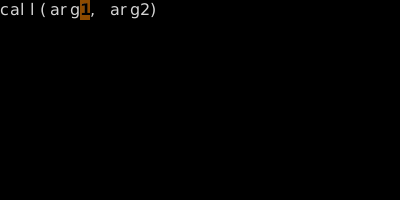
Step 1 ยท Cursor on 'a' of arg1.
Cursor on 'a' of arg1.
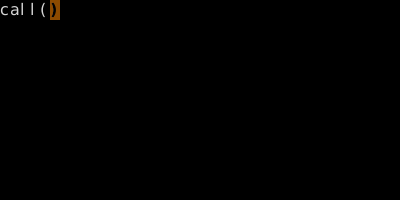
Step 2 ยท di( ยท di( โ€” args removed.
di( โ€” args removed.
Step 3 ยท u da( ยท da( โ€” parens removed too.
da( โ€” parens removed too.

โ–ถ Try this in the simulator

See also: Quote Text Objects, Match Bracket, The Vim Grammar