Centering the Cursor
zz, zt, zb — move the viewport, not the cursor.
zz centers the cursor's line on screen. zt scrolls so the cursor's line is at the top. zb scrolls so the cursor's line is at the bottom.
After a search jump or function navigation, the cursor often ends up at the top or bottom edge of the visible window — too little context. Three commands fix that without moving the cursor: zz, zt, zb.
| Key | Note |
|---|---|
| z | |
| z |
| Key | Note |
|---|---|
| z | |
| t |
| Key | Note |
|---|---|
| z | |
| b |
Reference
| Key | Action |
|---|---|
| zz | Cursor's line → middle of screen |
| zt | Cursor's line → top of screen |
| zb | Cursor's line → bottom of screen |
Worked example — zz
Bring the current line to the center.
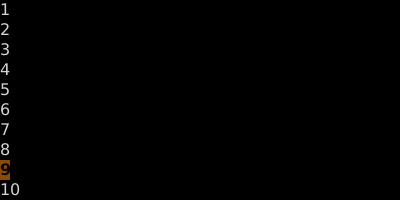
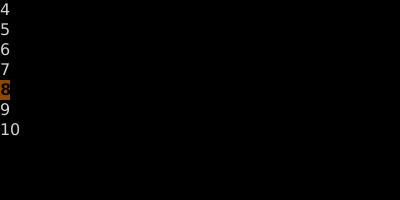
zt puts the line at the top; zb at the bottom. The cursor doesn't move in the buffer — only the viewport.
See also: Scroll and Land on First Non-Blank — z. / z+ / z-, Screen Position Jumps, Set Window Height — z{n}Enter