c is the change operator. cw changes a word; cc changes a line; C changes to end of line. S and s are short forms that change a whole line and a single character respectively.
c is the shortcut for d-then-i: it deletes the same range d would, and drops you straight into insert mode at that spot. Then Esc closes the change as one undoable, dot-repeatable unit.
Change a word
Key
Note
c
w
Change to end of line (same as c$)
Key
Note
C
Change current line (linewise)
Key
Note
c
c
Change a whole line (same as cc)
Key
Note
S
Substitute one character (same as cl)
Key
Note
s
cw — change a wordC — change to end of linecc / S — change a lines — substitute a char
Reference
Key
Action
Equivalent
c{motion}
Change range
d{motion} + i
cc
Change line
—
C
Change to end of line
c$
S
Change line
cc
s
Substitute one char
cl
cw
Change word (note: like ce)
—
ciw
Change inner word (text object; see Text Objects)
—
ca'
Change around quotes (text object; see Text Objects)
—
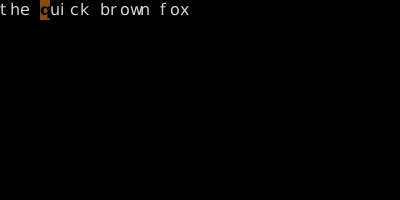
Worked example — cw is c then w
Change = delete + Insert in one step.
Step 1 ·
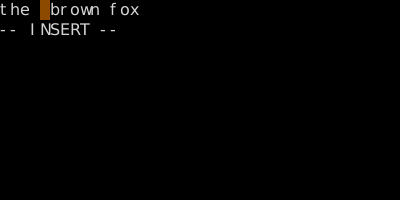
Step 2 · cw · cw — 'quick' gone, Insert mode on.
Note the trailing space stays — cw stops just before the next word. (One of cw's well-known quirks.)
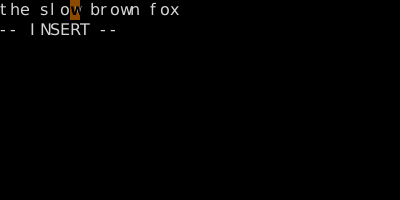
Step 3 · slow · Type 'slow'.
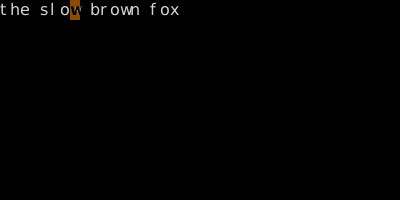
Step 4 · Esc · Esc — change is committed and dot-repeatable.