Five doors into insert mode — pick the one that lands the cursor where you want.
Keys: i, a, I, A, o, O
i and a are the two basic doors into insert mode.I, A, o, O are the convenience doors that combine a motion with the entry.
i inserts before the cursor. a appends after. That covers most of life — but Vim gives you four more doors that do a useful little motion on the way in.
Insert before cursor
Key
Note
i
Append after cursor
Key
Note
a
Insert at first non-blank of line
Key
Note
I
Append at end of line
Key
Note
A
Open new line below, insert
Key
Note
o
Open new line above, insert
Key
Note
O
a — append after cursorI — insert at first non-blankA — append at end of lineo — open line belowO — open line above
Reference
Key
Where the cursor lands
Equivalent
i
Before cursor
—
a
After cursor
—
I
First non-blank of line
^i
A
End of line
$a
o
New line below current
$aEnter
O
New line above current
0iEnterUp
gi
Last place you left insert mode
—
Worked example — i I a A o O
Six entries to Insert mode.
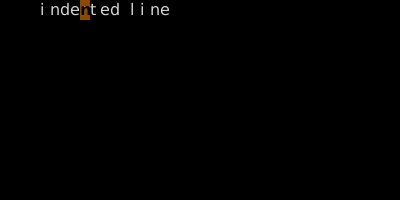
Step 1 · Cursor middle of line.
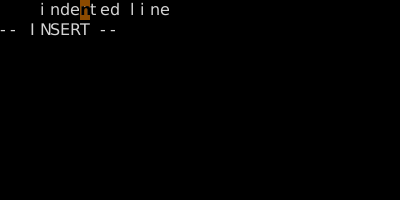
Step 2 · I · I — first non-blank.
Cursor jumps before 'i' (column 4) and Insert begins. I = ^i.
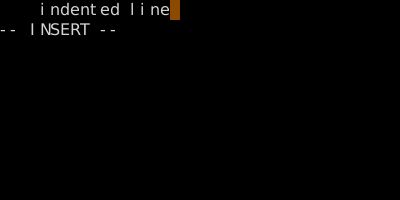
Step 3 · EscA · A — end of line.
A jumps past the last char. Pair with I for boundary insertions; pair with o/O for new lines.